What if you could eliminate hours of repetitive work each week while dramatically reducing errors? Most businesses struggle with manual processes that drain time and resources. The right automation platform can transform these challenges into opportunities.
Make.com is a powerful no-code solution that connects over 1,000 applications through an intuitive graphical interface. This integration platform as a service (iPaaS) enables seamless data sharing across tools and systems.
Businesses achieve significant efficiency gains by automating repetitive tasks. Operations become streamlined across departments. Manual data entry and error-prone processes are dramatically reduced.
This guide provides actionable insights for mastering workflow automation. You’ll discover practical implementation strategies that scale your operations effectively.
Key Takeaways
- Make.com connects over 1,000 applications through a user-friendly interface
- Automation significantly reduces manual data entry and processing errors
- Businesses can streamline operations across multiple departments
- The platform serves as an integration hub for various tools and systems
- No-code development makes automation accessible to all users
- Workflow automation drives measurable productivity improvements
- Proper implementation can scale with growing business needs
What is Make.com?
Digital transformation demands tools that bridge gaps between disparate business applications. This automation platform provides a visual solution for connecting software systems without coding requirements.
Originally launched as Integromat, the platform rebranded to better reflect its mission of enabling users to create custom workflows. The evolution brought enhanced features while maintaining its core functionality.
The drag-and-drop interface makes workflow creation accessible to non-technical users. Business teams can design automations through intuitive visual tools rather than complex programming.
As an Integration Platform as a Service (iPaaS) solution, it handles data transfer between different software systems. This service ensures secure and reliable information exchange across applications.
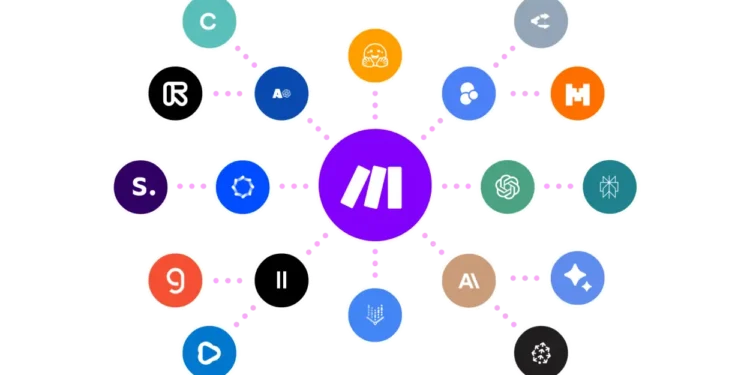
The platform connects over 1,000 different applications and services through pre-built modules. These connections span social media platforms, cloud storage services, project management tools, and countless other business applications.
Scenarios serve as the building blocks of automations within this ecosystem. Each scenario represents a complete workflow that executes specific business processes automatically.
The visual workflow builder simplifies complex automation creation through logical sequencing. Users can design both simple and complex business processes using this powerful tool.
This comprehensive solution serves businesses of all sizes seeking automation advantages. From startups to enterprises, organizations leverage these workflows to improve operational efficiency.
Data flows seamlessly between connected tools while maintaining integrity throughout processes. The platform manages information exchange without requiring manual intervention at any stage.
Operations become more efficient as automated workflows handle repetitive tasks. Teams can focus on strategic initiatives rather than mundane administrative work.
Why Make.com is a Game-Changer for Businesses
Operational excellence separates thriving businesses from those stuck in manual processes. This automation platform delivers transformative advantages that propel organizations forward. Companies achieve remarkable improvements across multiple operational areas.
Time-Saving Automation
Automated workflows eliminate hours of manual work daily. Repetitive tasks like data entry and report generation happen automatically. Teams reclaim valuable time for strategic initiatives.
Common business scenarios show impressive time reductions. Customer onboarding processes that took hours now complete in minutes. Automated data synchronization between tools happens instantly.
Error Reduction
Automated data transfer ensures perfect accuracy every time. The platform processes information without human intervention. This eliminates typos and calculation mistakes.
Better data quality leads to smarter decision-making. Financial reports become completely reliable. Customer information remains consistent across all systems.
Cost-Effectiveness
Businesses save significantly on operational expenses. The platform handles tasks that would require dedicated staff. This reduces payroll costs while improving output quality.
Companies achieve more with existing resources. There’s no need to hire specialized personnel for routine operations. The return on investment becomes apparent quickly.
Scalability
The platform grows alongside business needs. Organizations can add new applications and workflows effortlessly. Expansion happens without infrastructure upgrades.
Seasonal spikes in workload get handled smoothly. Additional automation capacity activates when needed. There’s no performance degradation during growth periods.
Enhanced Productivity
Automated task completion streamlines entire operations. Employees focus on high-value work instead of administrative duties. Process efficiency improves across all departments.
Teams accomplish more in less time. Project timelines shorten significantly. Customer response times improve dramatically.
Seamless Integration
The platform connects effortlessly with existing business tools. Popular applications integrate through pre-built modules. Data flows smoothly between different systems.
Implementation requires no technical expertise. Users establish connections through simple configuration. The platform manages all background processes automatically.
Getting Started with Make.com
Ready to transform your business operations? The journey begins with simple steps that quickly lead to powerful results. This platform makes automation accessible for everyone.
Sign Up for an Account
Begin your automation journey by creating a free account. Visit the website and complete the quick registration form. The process takes just minutes.
You’ll need basic information like your email and password. Verification happens instantly. Soon you’ll access the powerful automation platform.
Explore the Dashboard
After logging in, you’ll see the main dashboard. This central hub organizes all your automation tools. Key sections include Scenarios, Templates, and Apps.
The Scenarios area is where you build automated workflows. Templates offer pre-built solutions for common tasks. The Apps section manages your connected tools.
Connect Your Apps
Linking your applications is crucial for automation success. Click the ‘Apps’ section in your dashboard. Search for your preferred tools from the extensive library.
Follow the authentication prompts for each app. Proper connection ensures secure data transfer. This step enables seamless integration between systems.
Create Your First Scenario
Scenarios form the core of your automation workflows. Start with a simple template or build from scratch. The visual editor makes this process intuitive.
Drag and drop modules to design your workflow sequence. Set triggers that initiate automated actions. Configure each step to handle your specific processes.
Test and Activate
Always test your scenarios before full deployment. Run sample data through the workflow. Verify that each step performs correctly.
Monitoring tools help track performance after activation. Check for errors or bottlenecks regularly. Adjust settings as needed for optimal operations.
Successful testing leads to smooth automation implementation. Your workflows will handle tasks automatically. This saves time and reduces manual effort.
Step-by-Step Guide to Automating with Make.com
Building your first automated workflow is simpler than you might think. This platform offers an intuitive process that transforms manual tasks into efficient automations. Follow this clear guide to create powerful scenarios.
Begin by clicking the purple “Create a new scenario” button. This action opens the visual workflow builder interface. You’ll see a large plus icon to start adding modules.
Select your trigger application from the searchable list. Choose tools based on your specific business needs. The platform connects with over 1,000 applications.
Pick the exact trigger that will start your automation. Common triggers include new form submissions or database updates. Set specific criteria for when the trigger should activate.
Establish connections by following the on-screen instructions. The platform guides users through authentication steps. This ensures secure data transfer between applications.
Add action modules to define what happens after the trigger. You can chain multiple actions together. Configure each step to handle your business processes.
Test your scenario using the “Run once” button. This feature verifies everything works correctly. Check for any errors in the execution log.
Identify and resolve issues during testing. The platform provides detailed error messages. Fix any problems before activation.
Activate your scenario when testing completes successfully. The automation will now run automatically. Monitor performance through the dashboard.
Best practices ensure reliable automations. Start with simple workflows before building complex ones. Use descriptive names for your scenarios.
Keep error handling in mind during setup. Add appropriate filters and routers. These tools manage unexpected situations gracefully.
Troubleshoot common issues like connection problems. Check application permissions regularly. Verify that API limits won’t affect your automations.
Document your workflows for future reference. Note the purpose and configuration of each scenario. This helps with maintenance and updates.
Regular monitoring ensures continued smooth operation. Review performance metrics periodically. Optimize scenarios based on real usage data.
How to Integrate Google Forms with Make.com
Connecting Google Forms to your automation platform creates powerful data collection workflows. This integration automatically transfers form responses to spreadsheets without manual entry. You’ll save time while ensuring accurate data capture.
Log in and Create a New Scenario
Access your automation account through the main website. Enter your credentials on the login page. The dashboard appears after successful authentication.
Click the purple “Create a new scenario” button. This action opens the visual workflow builder. You’re now ready to build your first integration.
Add Google Forms Module and Set Trigger
Search for Google Forms in the applications library. Select it from the available tools list. Choose “Watch Responses” as your trigger type.
Authenticate your Google account when prompted. Grant necessary permissions for data access. Select the specific form you want to monitor.
The platform now connects to your form automatically. New responses will trigger subsequent actions. This setup initiates your automated data collection process.
Add Action Module for Google Sheets
Click the plus icon to add another module. Search for Google Sheets in the applications list. Select “Add a Row” as your action type.
Connect your Google Sheets account following similar steps. Choose the target spreadsheet and specific worksheet. Map form response fields to appropriate columns.
Each form answer corresponds to a spreadsheet column. This mapping ensures proper data organization. Your information transfers accurately between platforms.
Test and Activate the Scenario
Click the “Run once” button to test your integration. Submit a sample response to your Google Form. Check if data appears correctly in your spreadsheet.
Review the execution log for any errors. Fix issues before activating the scenario. Successful testing confirms proper configuration.
Activate the scenario when everything works perfectly. Your automation now runs continuously. Monitor performance through the dashboard interface.
Common troubleshooting tips improve reliability. Verify Google account permissions remain active. Ensure spreadsheet columns match form fields exactly.
Check for API limit restrictions that might affect operations. Regular maintenance keeps your automations running smoothly. Update mappings if your form structure changes.
Leveraging Free Workflow Automation Templates
Imagine having ready-made solutions that jumpstart your automation journey instantly. The platform offers an extensive library of pre-built templates designed for various business needs. These resources help users implement effective automations quickly.
Accessing the Template Library
Finding the right templates is straightforward. Log into your account and navigate to the Templates section. You can browse categories or search for specific solutions.
The library organizes templates by business function and popular apps. Categories include customer support, marketing, and sales. Project management templates are also available.
Popular Template Examples
Many users start with Google Forms to Sheets integration. This template automatically transfers form responses to spreadsheets. It eliminates manual data entry completely.
Slack notification templates handle email management efficiently. They send alerts for important messages or updates. Teams stay informed without constant email checking.
Trello task creation templates work from various triggers. New emails or form submissions can generate tasks automatically. This streamlines project management processes.
Customizing Templates for Your Needs
Pre-built templates serve as excellent starting points. Click “Use Template” to begin customization. The platform guides you through modification steps.
Adjust settings to match your specific requirements. Change field mappings or add additional steps. Templates can evolve into complex automations.
These resources also teach automation best practices. Studying template structures helps users understand workflow design. You learn how to create efficient scenarios.
Modifying templates saves significant development time. Instead of building from scratch, you adapt proven solutions. This approach accelerates automation implementation.
Always test customized templates thoroughly. Verify that changes work correctly before deployment. Monitor performance to ensure optimal operations.
Exploring Other Key Integrations on Make.com
Beyond basic connections, this platform offers powerful integrations with essential business tools. These connections transform how companies handle daily operations. You can automate complex processes across multiple applications.
Trello for Task Management
Trello integration automates task creation from various triggers. New form submissions can generate cards automatically. Emails can become organized tasks without manual entry.
Teams maintain better project visibility through automated updates. Card movements trigger notifications across departments. This streamlines collaboration and task tracking.
Implementation requires connecting both platforms through secure authentication. Set specific triggers based on your workflow needs. Map data fields to ensure proper card creation.
Mailchimp for Email Marketing
Mailchimp integration streamlines audience growth campaigns. New form subscribers join lists automatically. This eliminates manual contact imports completely.
Marketing teams save hours on list management tasks. Campaign performance improves with real-time data sync. Segmentation happens through automated tagging rules.
Connect your accounts using OAuth authentication. Configure triggers from subscription forms or databases. Test email delivery before full deployment.
Dropbox for File Management
Dropbox integration automates file organization and backups. New documents get sorted into folders automatically. Cloud storage becomes more efficient through smart rules.
Teams never lose important files with automated sync. Version control happens without manual intervention. File sharing permissions update based on workflow triggers.
Set up folder monitoring for specific file types. Configure automatic naming conventions for consistency. Regular audits ensure proper file management.
Salesforce for CRM
Salesforce integration enhances customer relationship management. Web form submissions create new contact records automatically. Data updates sync across all customer touchpoints.
Sales teams access accurate customer information instantly. Lead qualification happens through automated scoring rules. Follow-up tasks generate based on customer interactions.
Map form fields to corresponding Salesforce objects. Establish validation rules to maintain data quality. Monitor sync performance regularly for optimal operations.
Shopify for E-Commerce
Shopify integration simplifies online store management. New orders trigger inventory updates automatically. Customer communications happen through predefined workflows.
Order processing becomes faster and more accurate. Inventory levels adjust in real-time across channels. Shipping notifications send automatically to customers.
Connect your store using the Shopify app module. Configure triggers for various order status changes. Test with sample orders before full activation.
These integrations work together in comprehensive business solutions. A customer order can update inventory, create tasks, and trigger emails simultaneously. This creates seamless operational workflows across departments.
Regular maintenance ensures integrated systems perform optimally. Check connection status monthly. Update API keys when applications change. Monitor for any service disruptions.
Tips for Maximizing Make.com’s Potential
Unlocking the full power of this automation platform requires strategic approaches that enhance your results. Proper techniques transform basic workflows into sophisticated business solutions. These methods help users achieve superior operational performance.
Start with Templates
Pre-built templates offer the fastest path to automation success. These ready-made solutions handle common business processes efficiently. Users save significant development time through template implementation.
Templates provide excellent learning opportunities for new platform users. They demonstrate best practices in workflow design and structure. This approach accelerates your automation education.
Customization options let you adapt templates to specific needs. Modify field mappings and add additional steps as required. Templates evolve into personalized automations that match your operations.
Test Your Scenarios Thoroughly
Comprehensive testing ensures reliable automation performance. The ‘Run once’ feature validates scenarios before full activation. This prevents errors in live business environments.
Testing identifies potential issues in data flow and connections. Users can address problems before they impact operations. This practice maintains process integrity across all automations.
Always verify that triggers and actions work correctly. Check data formatting between different applications. Successful testing leads to smooth implementation.
Use Filters and Routers
Filters add conditional logic to your automation scenarios. They control when specific actions should execute based on data conditions. This prevents unnecessary operations and improves efficiency.
Routers enable complex workflow branching and decision paths. They direct data through different processing channels based on criteria. This creates intelligent automations that handle various situations.
These tools manage unexpected data variations gracefully. They ensure your workflows adapt to different input conditions. This flexibility enhances automation reliability.
Monitor and Optimize Regularly
Regular monitoring maintains optimal automation performance. Check execution history for errors or performance issues. This proactive approach prevents operational disruptions.
Performance data reveals opportunities for improvement. Analyze execution times and success rates across scenarios. Optimization based on real usage patterns enhances efficiency.
Adjust scenarios as business needs evolve over time. Update connections and modify workflows to match changing requirements. Continuous improvement reduces errors and saves time.
Engage with the Community
The user community provides valuable insights and solutions. Experienced users share tips and troubleshooting advice. This knowledge accelerates your learning curve.
Community forums offer templates and best practice guides. These resources help solve complex automation challenges. Engaging with other users expands your platform knowledge.
Active participation leads to discovering advanced techniques. You learn innovative ways to handle specific business processes. This community support enhances your automation capabilities.
Common Mistakes to Avoid When Using Make.com
Even the most powerful automation tools can underperform when users fall into common traps. Recognizing these pitfalls early helps prevent workflow disruptions and data integrity issues. Smart implementation avoids costly errors that compromise automation efficiency.
Overcomplicating Workflows
Complex workflows often create more problems than they solve. Over-engineered scenarios become difficult to maintain and troubleshoot. Simple, focused automations deliver better results with fewer errors.
Start with basic workflows that handle single processes effectively. Add complexity only when necessary for business needs. This approach reduces maintenance challenges and improves reliability.
Compare simple versus complex designs for better understanding. A basic email notification system works better than a multi-step approval chain. Straightforward data transfers outperform convoluted transformation processes.
Neglecting Testing
Skipping proper testing leads to unexpected consequences in live environments. Untested scenarios may process data incorrectly or fail completely. Thorough validation prevents operational disruptions.
Implement comprehensive testing procedures before deployment. Use sample data to verify each step functions correctly. Check all connections and data mappings for accuracy.
The platform’s testing tools help identify potential issues early. Run multiple test cases to cover different scenarios. Address any problems before activating workflows.
Ignoring Error Handling
Automations without error handling can fail silently. This leads to missed tasks and potential data loss. Proper error management ensures workflow continuity.
Implement error handling techniques throughout your scenarios. Use filters and routers to manage unexpected situations. Configure notifications for failed operations.
Effective error handling prevents small issues from becoming major problems. It maintains data integrity across all automated processes. This protection is crucial for business operations.
Failing to Document Scenarios
Undocumented automations become difficult to understand and maintain. New team members struggle to manage existing workflows. Proper documentation supports long-term automation management.
Create documentation templates for all your scenarios. Include purpose, configuration details, and connection information. Note any special considerations or dependencies.
Regular documentation updates keep pace with workflow changes. This practice ensures smooth knowledge transfer between users. It also simplifies troubleshooting when issues arise.
Overlooking Permissions and Security
Inadequate permission management exposes data to security risks. Unauthorized access can compromise sensitive information. Proper security configuration protects your automation assets.
Follow permission management best practices for all connections. Review access levels regularly to ensure appropriate restrictions. Update security settings when team roles change.
Secure configuration prevents data breaches and compliance issues. It maintains trust in your automated processes. This protection is essential for business continuity.
Regular security audits identify potential vulnerabilities. Address any permission issues immediately. This proactive approach safeguards your automation investments.
Understanding Make.com’s Terminology and Interface
Mastering any new platform begins with learning its language and layout. This automation tool uses specific terms that describe how different components work together. Understanding these concepts helps users build effective automations quickly.
Key Terms: Scenarios, Modules, Operations
Scenarios represent complete automated processes within the platform. Each scenario handles a specific business task from start to finish. These workflows can range from simple to complex depending on your needs.
Modules are the building blocks of every scenario. They include triggers, actions, and applications that transmit and receive data. Each module performs a specific function within your automation workflow.
Operations refer to the triggers and actions that construct scenarios. Triggers initiate workflows when specific events occur. Actions are tasks that execute after triggers activate.
Connections establish links between actions and third-party software platforms. These secure links enable data exchange between different applications. Proper connections ensure smooth information flow.
Filters help process data for use in triggers and actions. They apply conditional logic to determine which data proceeds through the workflow. This functionality prevents unnecessary operations.
Navigating the Visual Workflow Builder
The visual workflow builder features an intuitive drag-and-drop interface. Users can design automations without coding knowledge. This graphical approach makes complex workflows accessible to all skill levels.
The builder displays available modules on the left side. The central canvas area is where you construct your scenarios. Right-side panels provide configuration options for selected modules.
Interface elements include color-coded connections between modules. Blue lines indicate successful data transfers. Red lines show errors or connection issues that need attention.
Tooltips provide instant explanations when hovering over interface elements. These helpful hints guide users through the workflow creation process. Contextual help appears based on your current actions.
Setting Up Connections and Triggers
Establishing connections requires authenticating your applications. The platform guides users through secure authentication processes. Each connection enables data exchange between your tools.
Triggers initiate scenarios based on specific events. Common triggers include new form submissions or database updates. You can configure multiple triggers for complex automation needs.
Action modules define what happens after triggers activate. These can include data transformations, notifications, or updates to other systems. Multiple actions can chain together in sequence.
Security considerations are crucial during connection setup. Always review permission levels for each application connection. Regular security audits ensure your data remains protected.
Testing connections before full deployment prevents operational issues. Use sample data to verify proper authentication and data flow. This practice maintains workflow reliability.
Connection management includes monitoring active links between platforms. Update credentials when applications change their authentication requirements. This maintenance ensures continuous operation.
Advanced Features and Customization Options
When basic automations no longer meet your business needs, advanced customization becomes essential. The platform offers sophisticated features that handle complex business logic and data processing. These capabilities transform simple workflows into intelligent business solutions.
Conditional Logic and Branching
Conditional logic enables smart decision-making within your automations. You can create rules that determine different actions based on specific conditions. This functionality handles various scenarios automatically.
Branching techniques allow multiple paths within single workflows. Data can follow different routes based on predefined criteria. This creates flexible automations that adapt to changing situations.
Practical examples show conditional logic in action. E-commerce orders can route to different fulfillment centers based on location. Customer inquiries can direct to appropriate support teams by issue type.
Implementation requires setting up filters and routers strategically. These tools evaluate data and determine the correct path forward. Proper configuration ensures accurate decision-making.
Real-Time Monitoring and Reporting
Real-time monitoring provides instant visibility into automation performance. You can track execution status and identify issues immediately. This proactive approach prevents operational disruptions.
Dashboard tools display key performance metrics clearly. Success rates, error counts, and execution times appear in easy-to-read formats. Teams can quickly assess automation health.
Reporting capabilities measure automation effectiveness and ROI. You can generate custom reports showing time savings and error reduction. These insights justify automation investments.
Setting up monitoring requires configuring appropriate alerts and notifications. Teams receive immediate alerts for failed operations. Performance trends help identify optimization opportunities.
Handling Complex Data Transformations
Complex data transformations bridge gaps between different systems and formats. The platform can convert information from one structure to another seamlessly. This ensures compatibility across various applications.
Data mapping techniques establish relationships between different field types. You can transform dates, currencies, and text formats automatically. This standardization maintains data integrity.
Best practices include testing transformations thoroughly before deployment. Sample data verifies that conversions work correctly across all scenarios. Regular validation ensures ongoing accuracy.
Advanced features should complement rather than complicate your automations. Use complex options only when simpler solutions cannot meet requirements. This balance maintains efficiency while enabling sophisticated processing.
Performance optimization techniques enhance complex automation scenarios. Proper error handling and data validation prevent processing delays. Regular reviews ensure continued optimal performance.
Conclusion
Transforming business operations through intelligent automation delivers remarkable advantages. This platform empowers users to create efficient workflows that handle repetitive tasks automatically.
Companies achieve significant time savings and error reduction. Data quality improves dramatically across all business processes. The integration capabilities connect various tools seamlessly.
Proper testing ensures your automation scenarios perform reliably. Ongoing management maintains optimal workflow efficiency. This approach positions businesses for sustainable growth.
Embrace these automation solutions to focus on strategic initiatives. The long-term impact includes enhanced productivity and scalable operations.
Continue exploring advanced features to maximize your automation potential. This investment delivers lasting value across your organization.
FAQ
How much does Make.com cost?
Make.com offers a free plan with limited operations, plus paid tiers starting at per month for individuals and custom pricing for teams requiring higher automation volumes.
Which apps and services can I connect with Make.com?
You can integrate hundreds of popular apps including Google Sheets, Trello, Mailchimp, Dropbox, Salesforce, and Shopify, along with many other business and productivity tools.
Is technical knowledge required to use Make.com?
No technical expertise is needed. The platform uses a visual, drag-and-drop interface, and pre-built templates help users create automations without coding.
How reliable is Make.com for handling data?
Make.com provides strong data protection with encryption, secure connections, and compliance standards. The platform also includes error handling to maintain workflow integrity.
Can I monitor and adjust my automations after they’re live?
Yes, you can track execution logs, receive notifications for errors, and modify scenarios at any time to improve performance or adapt to new requirements.
Does Make.com offer customer support?
Support options include a knowledge base, community forum, and email assistance. Higher-tier plans offer priority support and additional resources.
Are there ready-to-use automation templates available?
Yes, Make.com provides a template library with popular workflows for marketing, project management, data entry, and more, which you can customize for your use case.