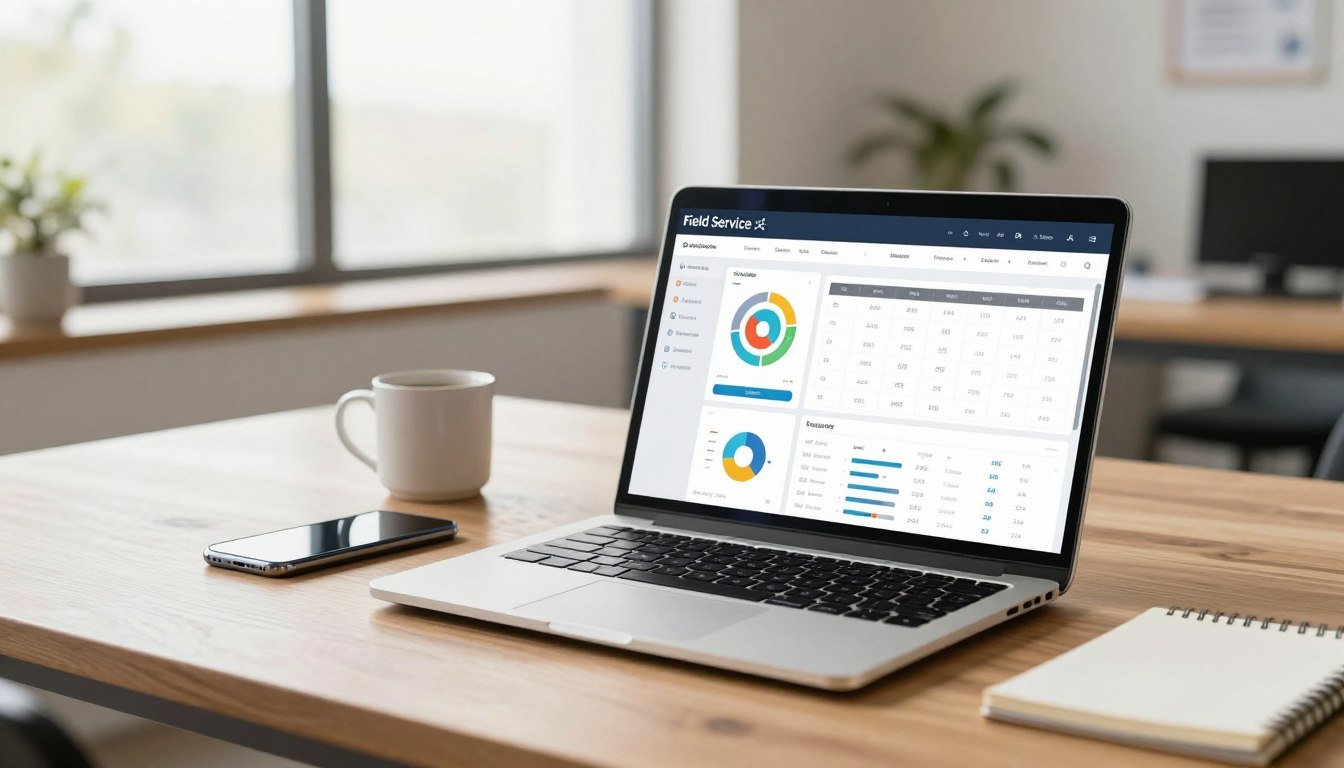
What if you could reclaim hours each week from administrative chaos? Many field service business owners spend more time on paperwork than actual service work.
This comprehensive management software tackles that exact problem. It centralizes scheduling, dispatching, and client communication in one platform. The goal is to help businesses save time and boost efficiency dramatically.
Over 250,000 service professionals trust this cloud-based solution. It’s accessible on desktop and through mobile apps for true on-the-go management. This review provides an in-depth analysis to help you decide if it fits your operation.
The platform is particularly beneficial for home service industries. This includes landscaping, HVAC, cleaning, and electrical contractors. We’ll examine core features, pricing, mobile capabilities, and real-user feedback.
Key Takeaways
- Centralizes scheduling, job tracking, invoicing, and client communication.
- Designed specifically for field service and home service industries.
- Cloud-based platform accessible via desktop and mobile apps.
- Helps businesses get paid faster with online payment tools.
- Integrates with QuickBooks Online for streamlined accounting.
- Includes marketing tools to help grow your customer base.
- Offers route optimization to save time and fuel.
What is Jobber? An Overview for Service Businesses
Forget generic spreadsheets and scattered notes. Modern service companies need a dedicated system built for the road.
This field service management software is precisely that. It is a specialized tool, not a generic business platform.
The primary purpose is to manage the entire job lifecycle. It handles everything from the first quote to the final payment.
The company behind this solution was founded in 2011. It is headquartered in Edmonton, Canada, and serves a vast community of over 250,000 users.
Its target market is small to medium-sized businesses. These teams typically have 1 to 100 employees.
It focuses on home service industries. Key sectors include HVAC, electrical, cleaning, lawn care, and painting.
The platform is deployed as a cloud-based subscription service. This means no special infrastructure is needed.
You access it via a web browser or dedicated mobile apps. This makes it a true software-as-a-service (SaaS) solution.
The core value proposition is increasing productivity and organization. Features are designed to save time, reduce fuel costs, and improve customer communication.
Key market differentiators set it apart. Built-in route optimization plans the most efficient driving paths between jobs.
It offers deep integrations with over 50 popular tools. This includes platforms like QuickBooks Online for seamless accounting.
Robust mobile functionality is a major strength. Technicians can view schedules and capture data offline in the field.
Security and compliance are taken seriously. The platform is SOC 2 Type 2 and GDPR compliant.
It uses 256-bit SSL and AES encryption to protect all your business data. This ensures client information is always safe.
In essence, this software acts as an operational command center. It is built for service businesses that aim to grow and scale efficiently.
Core Features: How Jobber Streamlines Daily Operations
Managing a mobile workforce requires specialized features that go beyond basic office software capabilities. This field service platform delivers five integrated modules that handle the complete job lifecycle.
Each function connects to the next, creating a seamless workflow. This eliminates data re-entry and reduces administrative tasks significantly.
Quotes & Estimates: Win More Jobs Professionally
Create polished, customized quotes using professional templates. Attach photos or documents to provide clear visual estimates.
Present pricing in various formats to meet client preferences. The system allows for basic discounts and tax calculations.
When a client approves online through their secure portal, the quote automatically converts to a scheduled job. This eliminates manual entry and speeds up the booking process.
One limitation is the lack of native change order management. Discount and tax controls remain fairly basic for complex pricing scenarios.
Smart Scheduling & Dispatch: Optimize Your Team’s Time
View your team’s workload across five different calendar perspectives. Choose from Month, Week, Day, List, or Map views for complete visibility.
Drag-and-drop functionality makes rescheduling simple. Use color coding and filtering to organize jobs by service type or priority.
The route optimization feature is a major time-saver. It plans the most efficient driving paths between appointments.
You can choose between master routes or flexible daily optimization. GPS tracking shows worker locations in real-time on a map overview.
Tracking accuracy depends on strong cellular signals in the field. This feature helps reduce fuel costs and windshield time dramatically.
Invoicing & Payments: Get Paid Faster
Generate branded invoices directly from the mobile app after job completion. This allows for instant billing while still on the client’s property.
The integrated payment system enables secure online transactions. Clients receive email invoices with a link to a protected payment page.
They can pay via credit card or bank transfer immediately. Technicians can also accept on-the-spot card payments using the mobile application.
All payments sync automatically with QuickBooks Online for streamlined accounting. This connection eliminates manual data entry errors.
Invoice redesign options are somewhat limited. The payment tools primarily support United States and Canadian financial systems.
Client Hub & CRM: Centralize Customer Communications
Every customer gets a comprehensive digital file. This contains contact details, full service history, and related photos or notes.
The Client Hub portal lets customers view and approve quotes online. They can also see upcoming jobs and submit new service requests independently.
Automated messages handle reminders and follow-ups via email or SMS. Higher-tier plans include two-way messaging for direct communication.
Use tags and service-based grouping to organize your client list. This helps with targeted marketing and service promotions.
The system is not a full-scale customer relationship platform. It lacks advanced analytics and AI-driven sales insights found in dedicated CRM software.
Time Tracking & Job Costing
Employees clock in and out using simple timers in the mobile app. They can also enter hours manually if needed.
Administrators review and approve timesheets before payroll processing. The platform integrates with Gusto for direct payroll submission.
Mobile GPS can verify when team members arrive at a job site. This provides an additional layer of verification for hours worked.
You must manually designate hours as billable or non-billable. The system does not automatically calculate overtime or use geofencing technology.
Together, these features create a powerful operational system. They reduce paperwork, accelerate cash flow, and improve service delivery for field teams.
The connected workflow means less time spent on administration. This allows businesses to focus more on actual customer work and growth.
Jobber on the Go: Mobile App Capabilities and Limitations
For technicians in the field, having business software in their pocket transforms how services are delivered. The mobile application is a critical component for any service business with a team that works on-site.
This tool puts powerful management features directly on a phone. Field workers can view and manage their daily schedule with ease.
They clock in and out using simple timers to track hours. Creating and sending professional invoices happens right after job completion.
Capturing job photos provides visual proof of work done. Direct communication with clients via call or text keeps everyone informed.
Collecting payments on-site accelerates cash flow dramatically. These actions eliminate paperwork and reduce administrative delays.
However, the mobile experience differs from the desktop version. The app lacks the comprehensive “Monthly” calendar view available on computers.
Instead, it offers daily, three-day, weekly, list, and map views for scheduling. All reporting modules remain desktop-only features for deeper analysis.
User reviews frequently praise the app’s intuitive navigation. Some technicians criticize the calendar interface for requiring multiple clicks to check availability.
This can slow down quick schedule adjustments during a busy day.
Offline capabilities present notable limitations. In areas with spotty cell service, the application struggles to access information.
It can queue certain actions to sync when connection returns. The offline mode does not allow editing existing records or capturing customer signatures.
This restriction hampers work in remote locations common to landscaping or lawn care industries.
Recent updates have added valuable functionality. As of late 2025, technicians can collect tips directly on-site.
Photo markup tools let crews annotate images for clarity. The ability to snap multiple photos at once saves time during documentation.
Support for larger file uploads handles high-resolution images better. These enhancements improve the daily workflow for field teams.
The app’s real-time updates and GPS tracking provide accurate location data. This improves dispatch coordination and customer communication.
Capturing information at the point of service reduces double-entry errors. Data flows seamlessly into the main system once synced.
Overall, this mobile solution is powerful for job execution and daily task management. It excels at facilitating immediate actions and customer interactions.
Planning ahead and analyzing performance still requires desktop access. The limited offline functionality may challenge businesses working in rural areas.
For most home service operations, the app delivers essential tools where they’re needed most.
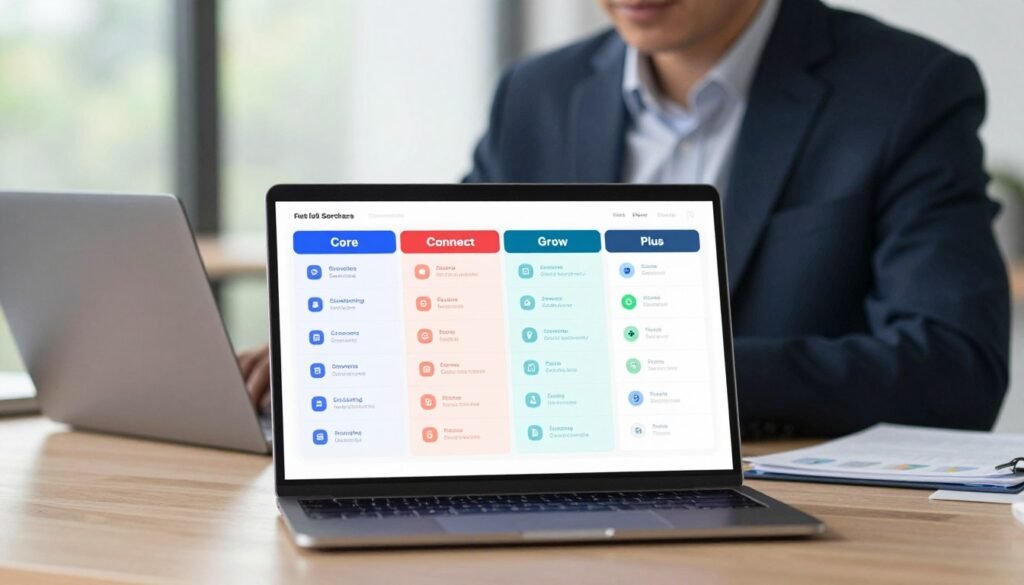
Jobber Pricing Plans: Core, Connect, Grow, and Plus Compared
Choosing the right subscription tier can significantly impact your company’s operational efficiency and bottom line. This field service software offers four distinct plans to match different business needs.
Each tier adds more advanced tools for automation and growth. Understanding these options helps you select the best value for your operation.
Breaking Down the Cost Per User
The Core plan starts at $29 per month with annual billing. Monthly billing costs $39 for this entry-level option.
It includes one user license for scheduling and basic invoicing. Additional team members cost $29 each per month on this tier.
Connect supports up to five users for $129 monthly with an annual commitment. Paying month-to-month raises this to $169.
Grow accommodates teams of up to ten people for $249 annually. The monthly rate for this mid-level plan is $349.
Plus serves larger operations with up to fifteen users included. This premium tier costs $449 annually or $599 per month.
Annual billing provides a consistent 20% discount across all subscription levels. This saves money for businesses committed to the platform.
All plans come with a 14-day free trial for evaluation. There is no permanent free version of this management software.
Which Plan is Right for Your Business Size?
Core works well for solo operators handling all tasks themselves. It covers essential scheduling and payment collection needs.
Connect suits small teams needing automation and accounting sync. The QuickBooks Online integration starts at this level.
This tier delivers strong value for businesses with 2-5 field technicians. Automated reminders and invoice follow-ups save administrative time.
Grow targets expanding companies requiring advanced client communication. Two-way SMS and job costing tools help manage complex projects.
Plus focuses on larger firms wanting marketing support and premium service. The AI Receptionist and dedicated specialist onboarding justify the higher cost.
Consider your actual feature requirements before selecting a plan. Advanced tools like the marketing suite may not benefit every operation.
Here’s how this platform compares to other field service solutions:
| Software | 5 Users Monthly Cost | 15 Users Monthly Cost | Key Differentiator |
|---|---|---|---|
| Jobber Connect | $129 | ~$394 (Grow + users) | Comprehensive home service features |
| Kickserv Lite | $47 | $159 | Lower cost basic functionality |
| Clockify Pro | $39.95 | $119.85 | Focus on time tracking |
| Connecteam | Free | $49 | Employee communication focus |
The total cost includes more than just subscription fees. Factor in time saved through route optimization and automated payments.
Larger teams get better per-user pricing on the higher tiers. However, the absolute monthly expense remains substantial for bigger operations.
This pricing structure is clear and scales with your business growth. It may not be the most budget-friendly option for very small or very large teams.
Evaluate which advanced features your company truly needs today. The 14-day trial helps test functionality before making a financial commitment.
Pros and Cons: The Jobber Verdict from Real Users
Beyond feature lists and marketing claims, actual customer experiences reveal what truly works in daily service management. User reviews from platforms like the App Store and software review sites provide a balanced perspective.
These insights come from business owners and field teams using the tools every day. They highlight both transformative benefits and frustrating limitations.
The most praised aspect is dramatic time savings. Many report reclaiming seven or more hours weekly from administrative tasks. This efficiency comes from streamlined workflows that connect requests to final payment.
Professionals appreciate the end-to-end management capabilities. The system handles estimates, crew scheduling, client updates, and collecting money.
Polished quotes and invoices help win jobs and encourage positive Google reviews. Integrated financing options like Wisetack make larger projects accessible to customers.
Communication tools receive consistent praise. The in-app texting feature keeps business and personal phone numbers separate. Clients receive automated reminders and can submit requests through their portal.
Route optimization saves significant fuel and travel time between appointments. Integrations with QuickBooks Online and Stripe create smooth accounting workflows.
The AI receptionist helps schedule appointments without manual intervention. For many, the intuitive interface makes daily operations much simpler.
However, the mobile application has notable shortcomings. Users mention the calendar view could be more intuitive for quick schedule checks. Some field crews find the app less user-friendly than expected.
Scheduling a follow-up visit for an existing job directly from the calendar can be difficult. The lack of a dedicated notes section in the mobile version frustrates technicians.
Advanced feature gaps appear in certain reviews. There’s no progress invoicing for large, multi-phase projects. Change order management requires workarounds outside the main system.
Occasional software glitches in forms and data entry cause interruptions. Importing large client lists can be challenging during initial setup.
Support response times vary by subscription tier. Non-premium users sometimes report slower assistance. The strict no-refund policy is another point of criticism.
For solo operators, the pricing can feel steep compared to basic alternatives. The platform lacks deep customization and advanced reporting some larger teams need.
The overall consensus remains overwhelmingly positive. This field service software earns an average rating of 4.5 out of 5 stars across review sites. More than 85% of users in target industries would recommend it to peers.
Satisfaction is highest among small to medium-sized home service businesses. Landscaping, cleaning, HVAC, and lawn care companies fit the core use case perfectly.
Frustration typically comes from operations with very specialized needs. Larger enterprises may find project and employee management features limited. Companies requiring complex billing structures might encounter obstacles.
Readers should weigh the pros of operational efficiency against potential cons. Consider if your business fits the sweet spot this management solution targets.
For most service businesses, the advantages significantly outweigh the drawbacks. The time savings, professional client tools, and integrated payments deliver clear value.
A careful assessment of your specific workflow requirements is always recommended. The 14-day free trial allows hands-on testing before commitment.
Who is Jobber Best For? Ideal User Profiles
Identifying the perfect fit for your field service software requires understanding which business profiles benefit most from its specialized tools. This management platform targets specific operational needs common in trades and home services.
The primary ideal customer is the owner-operator or small to medium-sized team. These businesses typically have between 1 and 50 users who need coordinated scheduling.
They have moved beyond solo operations but haven’t reached enterprise scale. The software provides the structure they need to grow efficiently.
Specific industries see particularly strong benefits from these features. Landscaping and lawn care companies use route optimization for multiple daily appointments.
Cleaning services, both residential and commercial, benefit from recurring job scheduling and client portal access. HVAC and plumbing contractors appreciate the mobile invoicing and payment collection tools.
Electrical services, painting contractors, and handyman operations use the quoting features to win more work. Roofing and pool maintenance businesses streamline their service tracking with this system.
The ideal business stage is companies that have outgrown manual methods. Paper schedules, spreadsheets, and sticky notes create confusion and errors.
These businesses need to systemize operations to save time and reduce mistakes. They want to support growth without proportional increases in administrative work.
The platform addresses common pain points like scheduling inefficiency and delayed invoicing. Poor client communication and disorganized job tracking hinder many service businesses.

This field service software solves these challenges with integrated tools. Teams can dispatch crews efficiently using smart routing technology.
Instant invoicing from the field accelerates cash flow dramatically. Client portals and automated updates improve transparency and satisfaction.
Every job from initial quote to final payment stays organized in one place. This eliminates the search for lost paperwork or forgotten details.
However, this management solution isn’t ideal for every type of operation. Large enterprises with 100+ employees may find the features limited for complex needs.
Businesses requiring heavy project management, like large construction firms, need more advanced tools. Industries with highly complex inventory or procurement needs might require specialized software.
Companies on an extremely tight budget might find free basic tools sufficient for now. The platform represents an investment in operational efficiency.
The software shines for businesses whose value comes from efficient routing and quick turnaround. Moving from quote to cash quickly is crucial for service profitability.
Maintaining strong client relationships through transparency builds lasting loyalty. Field teams need reliable tools that work both in the office and on-site.
Mobile access to schedules, job details, and customer history empowers technicians. Online payments and automated follow-ups ensure consistent cash flow.
For the right business, this platform acts as a growth catalyst. It provides the operational structure needed to scale service delivery.
Administrative overhead doesn’t increase at the same rate as revenue. Teams can handle more jobs with better organization and communication tools.
Over 250,000 service professionals across 50+ industries use this solution daily. It delivers maximum value to owner-operators and small to medium-sized field service teams.
Key Considerations: Support, Integrations, and Security
Before committing to any management solution, smart business owners scrutinize three critical areas: customer assistance, software compatibility, and data safety. These factors determine how smoothly the platform integrates into daily operations and protects sensitive information.
Reliable help ensures you can resolve issues quickly. Strong connections to other tools create a unified workflow. Robust security protocols give peace of mind when handling client details and payment data.
App Marketplace and Third-Party Integrations
This field service software connects with just under 50 popular business applications. These integrations extend functionality without requiring manual data transfers.
Accounting connections include QuickBooks Online and Gusto payroll. This automates financial tracking and reduces bookkeeping time. Payment processors like Stripe and Square enable secure online transactions.
Marketing tools such as Mailchimp and NiceJob help grow your customer base. Operational apps like Zapier, Google Calendar, and Company Cam streamline specific tasks.
Users can request new integrations through the platform’s marketplace. The current selection covers common small business needs effectively.
However, the ecosystem has limitations for specialized operations. It lacks deep hooks for advanced marketing automation platforms.
Complex inventory management or business intelligence tools may not connect directly. Businesses with highly customized tech stacks should verify compatibility before purchase.
Data Security and Compliance
Protecting client information is non-negotiable for service businesses. This management platform employs enterprise-grade security measures.
It holds SOC 2 Type II and GDPR compliance certifications. These independent audits verify proper data handling procedures.
All data transmission uses 256-bit SSL encryption. Information stored on servers receives 256-bit AES encryption protection. This matches banking industry standards for safety.
Customer data remains siloed by account within the system. Your clients only see their own service history and payment details.
This isolation prevents accidental information leaks between different customers. It’s crucial for businesses handling sensitive home addresses and financial data.
Support availability varies across subscription tiers. All users can access email and phone assistance during standard business hours.
An extensive knowledge base contains guides, videos, and webinars. Some users report slower response times for non-premium plan holders.
Higher-tier plans include dedicated specialist onboarding. Premium support ensures faster resolution for complex operational questions.
Evaluate your team’s technical comfort level when considering support needs. Businesses requiring immediate assistance might benefit from upgraded plans.
The platform provides a solid foundation with good connectivity for common tools. Its security protocols meet rigorous industry standards for data protection.
Service companies should match their specific integration requirements against available options. The 14-day trial period allows testing these connections firsthand.
Conclusion: Is Jobber the Right Field Service Software for You?
Selecting the right operational software comes down to matching your company’s specific requirements with a system’s proven capabilities in the field. This management platform delivers powerful tools for service businesses seeking efficiency.
Its integrated workflow connects quotes, scheduling, and payments seamlessly. The mobile app empowers field teams while route optimization saves valuable time and fuel. Professional client tools enhance communication and help you get paid faster.
Consider the investment carefully if you’re a solo operator on a tight budget. The software may lack advanced project management features some larger enterprises need.
For most small to mid-sized businesses in trades like landscaping, cleaning, or HVAC, Jobber offers strong value. Take advantage of the 14-day free trial to test it with your team.
Map your current workflow against the platform’s features. This strategic investment can scale your service business efficiently and professionally.
FAQ
Can I use this software for a one-person operation?
Yes, many of the plans are designed to scale. A solo entrepreneur can benefit from features like professional quotes, online invoicing, and mobile scheduling to look organized and get paid faster without a large team.
How does the system help with getting paid?
The platform accelerates payments by letting you send digital invoices directly from the field. Clients can pay instantly via credit card or ACH bank transfer. You can also set up automatic payment reminders to reduce late payments.
Is there a way to track my team’s hours and job progress?
Absolutely. The time tracking and job costing tools allow employees to clock in and out on jobs from their phones. You can see real-time updates on job status, which helps with accurate payroll and understanding project profitability.
Does it work with other tools I already use, like QuickBooks?
A> Yes, it offers key integrations. A seamless two-way sync with QuickBooks Online keeps your finances updated. The app marketplace also connects to tools for marketing, payments, and more to centralize your operations.
What kind of customer support is available if I have issues?
A> Support includes email, live chat, and an extensive online help center. Higher-tier plans offer priority phone support. The focus is on helping you resolve operational questions quickly to keep your business running smoothly.
Is my business and client data secure with this service?
A> Data security is a priority. The company uses bank-level encryption (SSL/TLS), regular security audits, and secure data centers. Your information and your customers’ payment details are protected.