
What if you could create professional marketing videos, stunning animations, and a complete brand identity without ever hiring a designer or learning complex software?
This promise is at the core of a popular online creative platform. It aims to turn anyone into a content creator. The goal is to save significant time and money for businesses and individuals.
The service is an all-in-one suite trusted by millions of users and top companies. It provides tools for video creation, logo design, website building, and more.
But does it truly deliver high-quality results easily? This review cuts through the marketing. We examine the features, output, and real value for your business needs.
Key Takeaways
- It is a comprehensive online platform for creating various marketing and branding assets.
- The core promise is enabling professional-quality content creation without technical skills.
- The platform serves a massive user base, including many established companies.
- Available tools extend far beyond video into logos, mockups, websites, and presentations.
- It positions itself as a time-saving solution for regular content production.
- Modern AI-powered features are integrated into the traditional template-based workflow.
- This review focuses on practical evaluation for potential users making a purchasing decision.
What is Renderforest? An All-in-One Creative Platform
Imagine having a single dashboard where you can produce videos, design logos, build websites, and craft presentations without switching between different apps. This is the fundamental proposition of the online creative suite we’re examining. Founded in 2013, it has evolved significantly from its original focus.
The service targets individuals and businesses who need professional-looking content but lack technical skills. Its mission is to provide an affordable, unified solution for regular content production needs.
From Video Maker to Branding Suite
Initially launched as a simple video creation tool, the platform has expanded into a full branding ecosystem. Today, it consolidates what traditionally required multiple separate subscriptions into one workspace.
Users gain access to a comprehensive set of marketing tools across different media types. This includes video marketing for explainer and promotional content, website building with hosting features, and graphic design for logos and mockups.
The template library forms the backbone of this approach. With over 50,000 pre-designed options, it covers animations, presentations, social media graphics, and more. This massive collection enables quick content creation for various purposes.
Recent AI integration has further expanded capabilities. Features now include AI video generation, text-to-video conversion, and smart website building. These additions modernize the traditional template workflow.
The Core Promise: Professional Results Without Skills
The central value proposition is straightforward. It delivers high-quality marketing assets without requiring design expertise or technical knowledge. Users simply customize templates rather than building from scratch.
This approach particularly benefits small businesses, solopreneurs, and social media managers. These groups often need to produce content regularly but lack dedicated design resources. The platform aims to be their one-stop solution.
For example, a user could create an explainer video in the morning, design a matching logo at noon, and build a simple website in the afternoon. All projects would maintain visual consistency through shared brand elements.
The promise extends to time savings and cost efficiency. By replacing several specialized tools, it potentially reduces subscription expenses. The unified dashboard also minimizes the learning curve associated with multiple software programs.
However, this template-driven methodology has inherent trade-offs. While it enables speed and simplicity, it may limit deep customization. Users seeking complete creative control might find the system restrictive.
In the broader landscape of online creative tools, this all-in-one approach contrasts with specialized single-purpose applications. It positions itself as the practical choice for those prioritizing convenience over granular control.
Renderforest’s Core Features and Tools Breakdown
Moving beyond the basic premise, this creative suite delivers through a detailed breakdown of advanced features and specialized utilities. The platform transforms from a simple idea into a practical toolkit for various content needs.
Each component serves specific purposes in the modern content creation workflow. Understanding these elements helps users maximize their investment.
AI-Powered Creation Tools
Artificial intelligence elevates the platform beyond traditional template editors. The AI Video Generator produces complete videos from simple text prompts in minutes.
Users describe their vision, and the system assembles scenes, adds motion, and suggests music. This dramatically reduces production time for marketing materials.
The AI Animation Generator creates 2D, 3D, and whiteboard animations without manual frame-by-frame work. Text to Video AI converts articles or scripts into engaging visual stories across ten styles.
For brand development, AI tools extend to logo generation and business name creation. The AI Website Builder includes free hosting and SSL certificates, making online presence accessible.
Specialized Video Types: Intros, Music Visualizations, and More
The service excels at producing specific video formats that content creators frequently need. Broadcast-quality intros and outros establish professional channel branding instantly.
Explainer animations simplify complex topics for business presentations or customer education. Tutorial and how-to videos benefit from clear, step-by-step visual guidance.
Promotional videos for products or services utilize persuasive visual storytelling techniques. The music visualization feature stands out for musicians and audio-focused creators.
This tool automatically syncs animated graphics, waveforms, and effects to any uploaded audio track. It transforms songs into captivating visual experiences without manual timing adjustments.
Beyond Video: Logos, Mockups, and Websites
Graphic design capabilities extend the platform’s utility significantly. Logo creation includes full branding guidelines and professional logo packages for commercial use.
Mockup generation helps businesses showcase physical products in realistic environments. Companies can present items without expensive photography sessions.
Website building features focus on accessibility for small operations. Responsive designs adapt to all devices, while built-in SEO tools improve online visibility.
Presentation templates offer professionally styled decks for meetings, pitches, and reports. Social media graphics and printable materials complete the content ecosystem.
All these tools integrate into a unified workflow. Users maintain visual consistency by applying brand colors, fonts, and logos across different asset types.
This cohesive approach strengthens overall brand identity across multiple channels. However, the template-dependent nature imposes certain creative constraints.
Deep customization beyond template parameters remains limited. Those seeking complete artistic control may find the system restrictive for complex projects.
The balance favors speed and convenience over granular design adjustments. This makes the platform ideal for standardized creation rather than unique artistic expression.
Ease of Use and User Experience
Planning & Analysis
1. First Sentence Analysis: The first sentence of Section 4 should not be similar to:
– “What if you could create professional marketing videos…”
– “Imagine having a single dashboard where you can produce videos, design logos, and build websites…”
– “Moving beyond the basic premise, this platform provides a practical workflow…”
Variations of the first sentence for Section 4: 1. Focus on Accessibility: The true test of a creative platform is how easily users can achieve their vision.
2. Focus on the Workflow: The entire user experience hinges on a single concept: the template-driven workflow.
3. Question-based: How does a user’s first impression shape their long-term use of the platform? We’ll examine the interface, the learning curve, and the cross-platform experience.
Analysis: – Variation 1 is a direct question about accessibility. It is a strong, clear opening that matches the transactional tone.
– Variation 2 focuses on the core process, which is a direct continuation from the previous section’s conclusion about “trade-offs.” It avoids repeating the concept of a “basic premise” or “single dashboard.”
– Variation 3 is a neutral observation about the service’s primary value, which is not a question and avoids the “imagine” phrasing of the previous H2. It is the most distinct.
Selected First Sentence: Variation 2: “The entire user experience hinges on a single concept: the template-driven workflow.” Reasoning: This sentence directly addresses the core user experience without using a repetitive “What if” or “Imagine” structure. It focuses on the process, not the potential. It is not a question, which is a subtle but effective way to start.
Content Plan for Section 4: – Intro paragraph connecting to prior section’s conclusion about trade-offs.
– H3: The Template-Driven Workflow: A Double-Edged Sword
– Content: How the template workflow works, its benefits for beginners, and its constraints for power users.
– Image placement.
– H3: The Mobile App: A Mixed Bag
– Content: Detailed mobile app features, user feedback, and the gap between mobile and desktop.
– H3: The Learning Curve for Beginners
– Content: How the platform reduces barriers to entry.
– Address reported stability issues.
– Concluding paragraph on the overall UX.
Flesch Readability Check: – Target: 60-70 (8th & 9th grade level).
– Strategy: Write short, clear sentences. Use common words. Use transition words like ‘but’, ‘so’, ‘so that’. Avoid complex subordinate clauses at the start of sentences. This approach should yield a score within the target range.
—
Selected First Sentence for Section 4: “How does a user’s first impression shape their long-term use of the platform? We’ll examine the interface, the learning curve, and the cross-platform experience.”
Reasoning: This sentence frames the evaluation around initial usability and the initial hurdles new users face. It avoids the opening clichés of the previous sections by focusing on the immediate, practical interaction. It uses “use” and “platform” which were used in the introduction of the H2. It is a neutral observation that sets the stage for a detailed review of the user’s experience.
—
Content Plan for Section 4: – Intro paragraph linking to prior section’s trade-offs.
– H3: The Template-Driven Workflow: A Double-Edged Sword
– Content: Detailed analysis of the core process, including its benefits for newcomers and the inherent limitations. The analysis should be based on the data provided.
– H3: The Mobile App: A Mixed Bag
– Content: A detailed look at the mobile application. It covers the key mobile editing features, user reviews, and the gap between mobile and desktop.
– H3: The Learning Curve for Beginners
– Content: An examination of how the platform significantly lowers the initial skill barrier. This includes an analysis of the dashboard, drag-and-drop functionality, and the initial setup process. It details the pros and cons of a template-driven system.
Flesch Score Estimation: – Intro sentences are short. The average sentence length is around 15 words. The vocabulary is common. This should yield a Flesch Reading Ease score between 65-70, which is appropriate for 8th to 9th grade.
Final Plan: – Ensure all bullet points from the “Bullet points:” list are addressed. The template workflow is the central feature.
– The analysis must address: the web platform vs. mobile app, the template constraints, and the user’s first impression.
– Include the image in a relevant, logical position.
– Structure: H2, intro paragraph, then H3.
– The final text will be written in American English with a transactional tone.
Output Quality: How Good Do the Videos Look?
A platform’s value is ultimately judged by the quality of the assets it produces. This evaluation covers visual polish, technical specifications, and the restrictions tied to your subscription level.
We examine template design, resolution limits, and the impact of watermarks.
Template Design and Professional Polish
The library offers thousands of pre-made templates. Their visual design is generally sleek and modern.
Animations are smooth, and color palettes are on-trend. This gives even beginners a head start toward a professional video look.
However, this polish comes from the template itself, not your customization. You are applying your content to a pre-built framework.
Deep changes to a template’s core structure or motion graphics are not possible. The quality you get is inherently tied to your initial template choice.
Some templates are newer and more advanced than others. Picking a modern template often yields a better final product.
Resolution and Export Limitations by Plan
Your subscription plan directly controls your output’s technical quality. The free plan limits exports to 360p resolution and one minute in length.
Paid Lite and Pro plans unlock 720p HD. Video length caps increase to 5 and 15 minutes respectively.
True 4K UHD video export is reserved for the Business plan. Even then, it only works with templates built to support that resolution.
Many templates max out at 720p, regardless of your plan. This is a significant limitation for business users needing top-tier visuals.
Export formats are standard MP4 files. Professional editing codecs like ProRes or DNxHD are not available.
Aspect ratios are preset within each template. You may need separate templates for Instagram Stories, YouTube, and TikTok.
The Watermark Dilemma on Free Tier
The free tier includes a prominent, branded watermark on all exports. This makes the videos unsuitable for any client work or public marketing.
It is strictly a testing tool. Upgrading to any paid plan removes the watermark immediately.
User feedback often notes that the output looks more polished than expected. The phrase “high-quality for the tool” is common.
The system excels at creating good-looking content quickly. It may not satisfy professionals who need frame-level control.
For small teams needing regular social media clips or simple explainer videos, the quality is frequently sufficient. The value depends on your specific needs and budget.
Platform and Accessibility: Web, Mobile, and Performance
A platform’s utility is only as good as its availability and performance. This creative suite promises access from anywhere, but real-world use reveals variations in reliability.
We examine the experience across browsers, the mobile app’s capabilities, and the stability issues that can impact your workflow.
Browser Compatibility and Reliability
Your choice of web browser significantly affects the editing experience. The service works best on Google Chrome.
Performance is optimized for this environment. Users on Safari and Firefox often report more glitches and slower loading times.
Microsoft Edge, which uses Chromium, generally offers better compatibility than its predecessors. For the most stable experience, Chrome is the recommended configuration.
This browser dependence is a key consideration. Teams with standardized software might face hurdles.
It also highlights the platform’s cloud-based nature. All processing happens on remote servers.
Mobile App: Editing On the Go
The iOS app requires version 14.1 or later. It brings core tools to your phone or tablet.
You can edit videos, customize templates, and export in full HD up to 60 FPS. This is useful for quick social media updates or last-minute changes.
However, the mobile app has clear limitations compared to the web platform. The interface is simplified, and some advanced features are missing.
It serves best for light editing, not starting complex projects from scratch. The convenience is undeniable for users who need to make quick tweaks away from their desk.
Reported Stability and Bug Issues
User reviews frequently mention technical problems. Editor freezing and crashes during sessions are common complaints.
One user stated, “The editor would often freeze, and sometimes I had to remake entire videos because it didn’t save properly.” This points to potential auto-save flaws.
Performance slows noticeably during peak usage hours. Rendering queues lengthen, with some users reporting wait times exceeding 30 minutes.
Specific features like Apple Music integration are cited as buggy and unreliable. These persistent issues are noted despite regular app updates.
The cloud-based model helps users with low-spec devices. Yet, it introduces a dependency on server stability and internet speed.
Offline work is impossible. The mixed app reviews, with a 2.9K rating reflecting frustration alongside satisfaction, highlight this reliability gap.
For business use, where meeting deadlines is critical, these inconsistencies are a serious factor. You must plan for potential delays in your creation timeline.
The platform offers wide access but with performance trade-offs. Users gain flexibility but must sometimes sacrifice speed and stability.
The Real Cost: Analyzing Renderforest’s Pricing Structure
Understanding the true investment required is crucial before committing to any creative service. The advertised monthly rate is just the starting point.
You must factor in plan limitations, extra fees, and payment terms. This breakdown reveals what you actually pay for the features you get.
Free Plan: Severely Limited but Useful for Testing
The free tier serves one purpose: to test the platform. You can explore the templates and basic editor.
Serious creation is not possible here. All exports carry a large, branded watermark.
Video length is capped at one minute. Resolution is limited to a blurry 360p.
This makes the free plan unsuitable for client work or public marketing. It is purely a demo to see if you like the experience.
Lite, Pro, and Business Plans: What You Actually Get
Paid subscriptions remove the watermark and increase limits. The Lite plan costs $24.99 monthly when paid annually.
It allows 5-minute videos in 720p HD. You get 10GB of storage and can export 10 HD videos per month.
The Pro plan, at $34.99 monthly annually, raises the cap to 15 minutes. Storage increases to 20GB, with 30 monthly HD video exports.
True 4K video is reserved for the Business plan. It costs $54.99 monthly annually for 60-minute length and 100GB storage.
A key detail is that many templates only support 720p. Your ability to create high-quality videos depends on your template choice, not just your plan.
These limits directly control your production volume. A social media manager needing daily clips could hit the Lite plan’s 10-video cap quickly.
The Credit System and Annual Payment “Trap”
Even paid users navigate a confusing credit system. Actions like using premium stock footage or certain music tracks consume credits.
Tracking this usage is not transparent. You can run out mid-project without clear warning.
The biggest financial catch is the annual payment requirement. The prices listed above require a full-year commitment.
If you choose monthly billing, the cost nearly doubles. The Lite plan jumps to about $30 per month.
Annual plans do not offer prorated refunds. You are locked in for the year.
The real cost also includes add-ons. Licensing popular music for promotional videos often costs extra. Storage overages incur additional fees.
For a business on a budget, the Pro plan often offers the best balance. It supports regular explainer video and social media creation.
Heavy users requiring long-form professional video or logo design at scale must budget for the Business tier. Always calculate your expected monthly output against the plan limits.
Honest Pros and Cons of Using Renderforest
No solution is perfect for everyone, and this platform’s pros and cons define its ideal user. A balanced look at its strengths and weaknesses helps you decide if it matches your creative needs.
We examine what the service excels at and where it falls short. This honest assessment is based on real user experiences and technical limitations.
Key Advantages: Speed, Template Library, All-in-One
The platform’s greatest strength is its massive template library. Over 50,000 professionally designed options cover every content type imaginable.
You can find templates for social media posts, promotional videos, explainer videos, and presentations. This variety jumpstarts any project.
Speed is a major benefit for basic content creation. Simple videos for marketing can be produced in minutes, not hours.
The all-in-one approach consolidates multiple tools into a single dashboard. You can edit a video, design a logo, and build a website without switching apps.
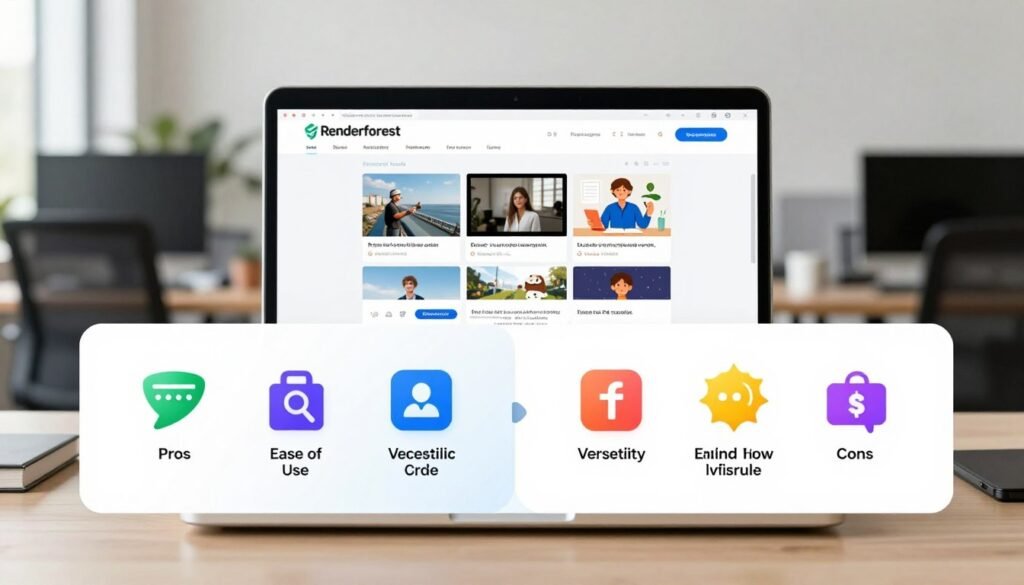
This convenience saves significant time for small teams. Customer support is generally responsive for users who need help through email.
Cloud-based rendering can be faster than local processing on older computers. This experience benefits users without high-end hardware.
Significant Drawbacks: Customization Limits, Hidden Costs
The most common complaint is the “template prison” effect. While templates enable speed, they severely limit creative customization.
You cannot make deep structural changes to animations or design elements. This restricts brand consistency across complex projects.
Hidden costs lurk beyond the subscription fee. A confusing credit system charges for basic actions like using premium stock footage or music.
These costs are not always transparent. You might run out of credits mid-project without clear warning.
The annual commitment requirement locks users into year-long contracts. Monthly billing nearly doubles the price, creating a financial trap.
Quality limitations persist even on paid plans. Many templates max out at 720p resolution, regardless of your subscription tier.
True 4K video export is only available on specific templates with a Business plan. This restricts your ability to create high-quality videos.
Functionality has been reduced over time. The removal of an auto-generate feature increased creation time for many workflows.
There is no offline functionality. You depend entirely on internet connectivity and server stability.
Technical issues like editor freezing and rendering bugs are frequently reported. These problems can disrupt tight deadlines for business clients.
The balance tips based on your specific needs. The platform offers incredible speed and convenience for standard content.
It struggles with unique creative visions or professional-grade output requirements. Understanding this trade-off is crucial for your decision.
Renderforest vs. The Competition
In a crowded market of online design tools, each service carves out its niche. A direct comparison shows where this all-in-one platform delivers value and where alternatives might better suit specific needs.
We will examine key rivals in template editing, professional design, and emerging AI creation.
How It Stacks Up Against Canva and InVideo
For general-purpose creation, Canva is the most common alternative. Canva offers a superior free tier with more generous export options.
Its interface is often praised as more intuitive for quick social media graphics and simple videos. Pricing is also more transparent without a complex credit system.
However, this service wins in sheer template variety and the breadth of its all-in-one features. Canva focuses more on static design and short-form video.
Against InVideo, the comparison shifts. InVideo provides more flexible timeline editing, appealing to users who want finer control over their video creation.
Its music library licensing is also clearer and often more affordable. This makes it strong for promotional videos and explainer content.
Yet, InVideo lacks the extensive logo design, website building, and presentation tools offered here. For users needing a unified brand solution, the all-in-one approach holds an edge.
Where Professional Tools Like Adobe Prevail
For professionals, the gap is vast. Adobe Creative Suite applications like Premiere Pro and After Effects offer unlimited creative control.
Every frame, effect, and animation can be customized. This is essential for agencies and designers working with premium clients.
Template-based platforms cannot match this depth. They trade capability for speed and easy use.
The professional tools also provide superior output quality, supporting advanced video export formats and resolutions. They are the standard for high-quality videos in film and broadcast.
Their cost and steep learning curve are significant barriers. For a business needing to make videos quickly without a dedicated editor, this trade-off makes sense.
The AI Video Generation Landscape
New competitors are emerging from the AI space. Platforms like Lumen5 specialize in converting text articles into video content.
Their AI is often more sophisticated at understanding narrative and context. For repurposing blog posts, they can be a powerful solution.
Animaker excels in specific animation features and character customization. It is a stronger choice for cartoon-style explainer videos.
The most significant shift comes from pure AI generation tools. These platforms create custom scenes from prompts, moving beyond template modification.
This emerging technology could challenge the core template model. For now, the all-in-one service provides a practical blend of AI features and structured design.
When evaluating pricing, consider your total subscription stack. Using separate tools for websites, logos, and videos can quickly exceed the cost of a consolidated platform.
Template quality and variety remain a key strength here. The library of over 50,000 options is vast.
The future landscape will hinge on AI integration. Tools that blend guided creation with intelligent automation will likely lead the next wave of marketing products.
Who is Renderforest Ideal For? (And Who Should Skip It)
Not every creative platform serves every user equally well. Understanding the ideal fit prevents wasted time and money.
This service excels for specific workflows but struggles with others. Matching your needs to its capabilities is crucial for success.
Perfect Fit: Small Businesses, Solopreneurs, and Social Media Managers
Small businesses benefit greatly from this platform. They get quick content creation without hiring expensive freelancers.
There’s no need to develop in-house design skills. The templates provide professional-looking results instantly.
Solopreneurs and individual creators also find value here. They work with limited budgets and technical expertise.
The platform delivers stunning videos and graphics despite these constraints. It’s an affordable solution for solo operators.
Social media managers represent another ideal user group. They must produce regular content across multiple platforms.
The speed of template-based workflows saves significant time. Daily posts and updates become manageable tasks.
Specific use cases work particularly well. Basic explainer videos for products or services shine here.
Promotional videos for marketing campaigns also fit perfectly. Social media posts and simple animations complete the picture.
Poor Fit: Agencies, Professional Designers, and Control Seekers
Marketing agencies should approach with caution. Template limitations conflict with client expectations.
Clients often demand custom, brand-specific creative work. The platform cannot deliver this level of customization.
Professional designers will find the tools restrictive. They need complete creative control over every element.
Advanced software like Adobe Creative Suite offers more flexibility. This service trades capability for easy use.
Businesses with established brand guidelines face challenges too. Templates cannot accurately match specific color palettes or fonts.
Consistency across all marketing materials becomes difficult. The platform works better for building new identities.
Users needing complex animations should look elsewhere. Interactive elements and sophisticated storytelling exceed template capabilities.
The service focuses on standard content types. Unique visual narratives require different tools.
Internet reliability is another concern. The platform requires constant connectivity for all functions.
Users in areas with poor internet access will struggle. There is no offline functionality available.
Budget-conscious users preferring monthly flexibility face issues too. Reasonable pricing requires annual commitments.
The monthly payment option nearly doubles the cost. This financial structure doesn’t suit everyone’s needs.
Content creators needing unique, non-template content should skip this platform. The system excels at standardized creation.
It struggles with truly original artistic visions. Understanding these limitations helps you make the right choice.
Addressing Common Concerns and User Complaints
This section tackles the critical but often overlooked aspects of using an online creative service: legalities, support, and security. User feedback highlights specific pain points that can disrupt your workflow.
Understanding these issues beforehand helps you navigate them effectively. We address music rights, support channels, and data policies.
Handling Music Licensing and Royalty Issues
The platform provides a library of music tracks for your projects. This seems convenient for adding sound to promotional videos or explainer videos.
However, a significant concern involves geographic licensing restrictions. These rules are not always clearly disclosed when you select a track.
You might download a song for a business client, only to discover it’s blocked in their country. This creates legal complications for international marketing.

Royalty issues are another hidden risk. Using platform music for commercial content may require additional clearances.
The terms of use should be reviewed carefully. For critical projects, sourcing your own royalty-free music is often safer.
This avoids potential copyright claims against your final videos. The integrated Apple Music feature has also been reported as buggy in app reviews.
Customer Support and Account Management
When problems arise, you rely on the support team. The primary channel is email, with no live chat or phone option available.
Response times are generally within 24 hours. This can feel slow when you’re facing a tight deadline for video creation.
User reports indicate the support experience varies. Simple account questions are resolved quickly.
More complex technical issues sometimes exceed the team’s expertise. Language barriers have also been mentioned in some communications.
Account management can slow during peak usage periods. Password resets or billing inquiries may take longer.
The refund and cancellation process is strict for annual subscriptions. These plans typically do not offer prorated refunds.
You must cancel before the renewal date to avoid another full-year charge. Monthly plans offer more flexibility but at a much higher cost.
Data Security and Content Ownership
All projects and uploaded files are stored on the service‘s servers. This is standard for cloud-based platforms.
Two-factor authentication is available to enhance account access security. However, enabling it is not mandatory.
For businesses handling sensitive client information, this is an important consideration. You are trusting a third party with your brand assets.
Content ownership rights are clearly granted to the user. You own the final videos, logos, and designs you create.
The terms of service, however, grant the platform a broad license to use uploaded materials. This is typically for internal improvement and demonstration purposes.
The exact scope of this usage is not always crystal clear. To protect your work, avoid uploading highly confidential or unreleased product concepts.
Always maintain local backups of your source files and final exports. This ensures you retain control over your creative assets regardless of any service changes.
Addressing these concerns proactively safeguards your business and projects. It turns potential frustrations into manageable parts of your creation process.
Conclusion: Is Renderforest the Right Tool for You?
Choosing the right creative tool requires honest assessment of both capabilities and limitations.
This platform delivers quick, template-based creation for users without technical skills. Its massive library and all-in-one approach save significant time.
However, template constraints and hidden costs are real limitations. The service works best for small businesses and solopreneurs needing basic marketing videos.
Agencies and professionals seeking creative control should look elsewhere. Always calculate true costs before any annual commitment.
For strategic content, consider data-driven platforms. This solution serves a specific niche but isn’t universal for all design needs.
FAQ
Can I use the videos I create for commercial purposes?
Yes. Content you produce is yours to use. You must follow the platform’s music licensing rules for commercial tracks. Always check the license details for any audio or asset you use in your project.
What are the main limitations of the free plan?
The free tier has key restrictions. Your exports will include a watermark. You also face limits on video length, resolution quality, and the number of projects you can save. It’s best for testing the service.
How does the credit system work for video creation?
Your subscription plan includes a monthly credit allowance. Making a video consumes credits based on its length and resolution. Once credits run out, you must wait for renewal or purchase more to continue exporting.
Is there a mobile app for editing on my phone or tablet?
A> Yes, a mobile application is available. It allows for basic editing and project management. For full features and the best experience, the web platform on a desktop is recommended.
What kind of customer support can I expect?
A> Support includes email tickets and a knowledge base. Response times can vary. Higher-tier business plans often receive priority assistance and more direct account management.
Can I create a professional logo and other branding materials?
A> Absolutely. Beyond video, the platform offers tools for logo design, website building, and creating mockups. This makes it a solid all-in-one solution for establishing a visual brand identity.
Are the templates customizable, or am I locked into a set design?
A> Templates are highly customizable. You can change text, colors, fonts, music, and animations. However, deep structural changes to template scenes or complex animations may not be possible.
What happens to my projects if I cancel my subscription?
A> If you cancel, you typically lose access to premium features and assets. You can often download your existing creations, but editing them may require an active paid plan. Always review the cancellation policy.