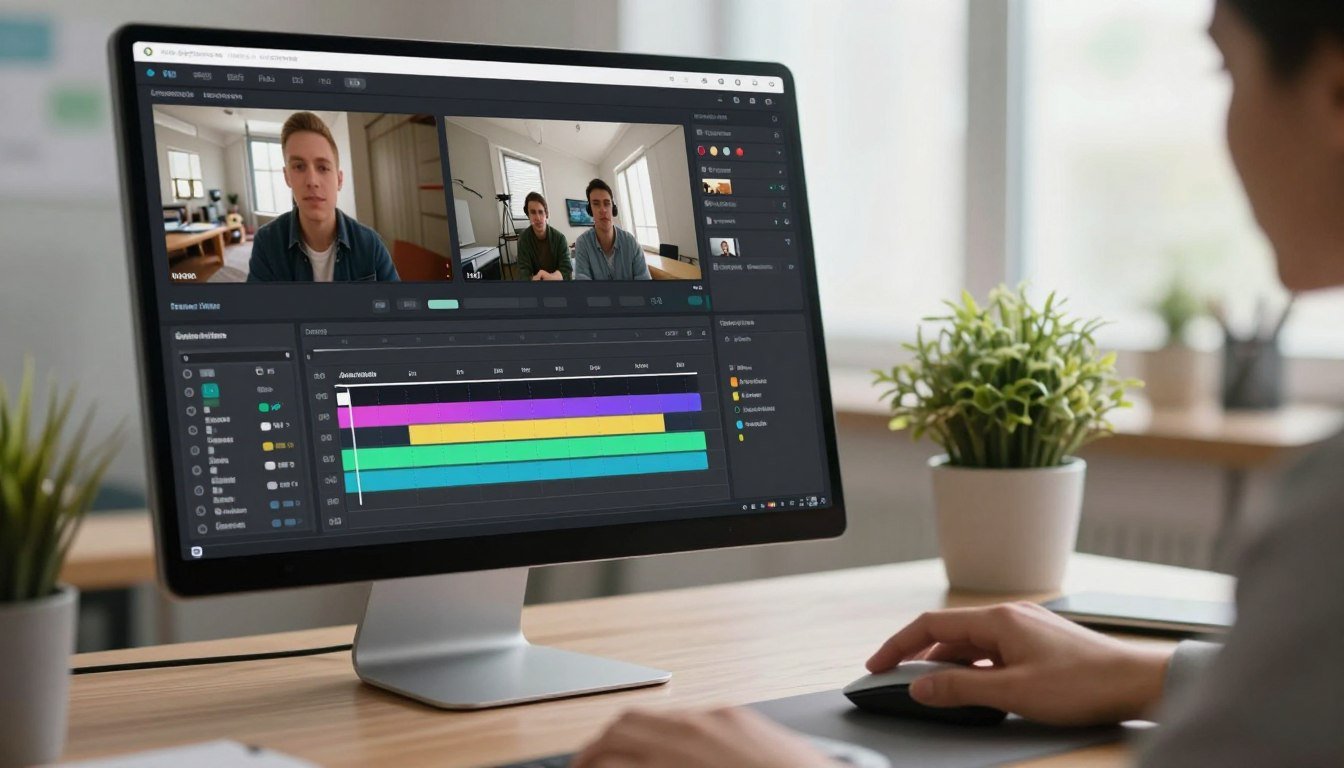
What if you could edit videos like a pro without downloading complex software? Many believe professional results require expensive tools and steep learning curves. This review explores a platform that challenges that notion.
VEED is a leading cloud-based video editor. It serves both experts and newcomers. The tool runs in your browser on any device. You can start editing immediately without installations.
The core value is saving significant time. AI automates tedious tasks like adding subtitles and cleaning audio. This lets creators focus on storytelling and quality.
This article provides a comprehensive product review. We assess features, benefits, and limitations honestly. Our goal is to help you make an informed choice for your business or projects.
The platform has evolved from a simple subtitle tool. It now offers a full AI suite with advanced features. These include AI Avatars and Eye Contact Correction for polished videos.
We’ll examine who benefits most from this editor. Social media managers, marketers, and educators find it useful. Teams appreciate the collaborative cloud workflow.
We’ll also compare it to other editing tools on the market. You’ll see how it fits between simple mobile apps and complex desktop software. Let’s discover if this is the right tool to accelerate your video content creation.
Key Takeaways
- VEED is a browser-based video editor accessible to all skill levels.
- AI automation handles tasks like subtitles and audio cleanup to save time.
- The platform works on any device with an internet connection.
- It has grown from a subtitle tool to a full-featured AI editing suite.
- This review will help you decide if it fits your workflow and budget.
- Ideal users include content creators, marketers, educators, and teams.
- The tool positions itself between simple apps and professional software.
What Is VEED and Why Does It Stand Out?
Forget about complex installations and hardware requirements when creating video content. This platform represents a new category of browser-based editing tools. You access everything through your web browser on any computer or device.
The core philosophy prioritizes speed and accessibility over granular control. Traditional software requires learning complex interfaces. This tool makes professional editing possible for complete beginners.
You encounter a clean interface built around one-click AI actions. Buttons like “Clean Audio” or “Remove Silences” replace technical panels. The system transforms tedious tasks into simple operations anyone can perform.
VEED began as a specialized tool for generating subtitles. It has evolved into a comprehensive AI-powered suite. This growth responds directly to modern content creation demands.
A key differentiator is the seamless cross-device workflow. Your projects save automatically to the cloud. You can start editing on a Mac and finish the same video on a Windows PC or tablet.
This contrasts sharply with traditional desktop software like Adobe Premiere. Those programs have steep learning curves and hardware demands. The browser-based approach offers instant accessibility from anywhere.
The platform focuses on the video types most needed today. This includes social media clips, tutorial videos, and talking-head presentations. It excels at repurposing existing content into new formats quickly.
It stands out by solving specific, time-consuming pain points with automation. Captioning, audio cleanup, and silence removal happen with precision. Creators reclaim hours previously spent on manual editing tasks.
This tool occupies a unique position in the market. It bridges the gap between limited mobile apps and overpowered professional suites. You get capable features without unnecessary complexity or high costs.
The standout quality is delivering high-quality results faster than almost any alternative. For businesses and creators needing efficient video production, this platform offers a compelling choice. It turns video creation from a technical chore into a streamlined creative process.
Key AI-Powered Features That Define VEED
At the heart of this platform’s appeal are several AI-driven features designed to save creators hours of work. These tools automate complex editing tasks that normally require technical skill.
They transform video production from a manual chore into a streamlined process. Each feature addresses a specific pain point faced by modern content creators.
Auto-Subtitles and Caption Styling
The auto-subtitle engine delivers highly accurate transcripts in seconds. It syncs text perfectly with spoken dialogue as soon as you upload your video.
You gain access to a library of trendy caption presets. These styles help your videos stand out on social media platforms instantly.
One-click translation expands your reach to global audiences. The tool converts your subtitles into over 100 different languages with precision.
Magic Cut for Automatic Silence Removal
This feature analyzes your audio track to find pauses and filler words. It automatically deletes “ums,” “ahs,” and dead air from your recordings.
A rambling ten-minute talk becomes a tight six-minute clip. This improves pacing and keeps viewer engagement high throughout your video.
Magic Cut proves invaluable for cleaning up webinar recordings and interviews. It saves the tedious work of manually searching for silences to cut.
AI Avatars and Eye Contact Correction
Create a custom digital twin by recording a short video of yourself. The system then generates an avatar that can speak any text you type.
Lip-syncing technology has reached professional-grade quality. The result appears natural for most viewing contexts and purposes.
Eye Contact Correction fixes a common problem for presenters. It subtly adjusts your gaze to look directly at the camera when you glance at notes.
This creates a more engaging connection with your audience. While keen observers might detect AI-generated avatars, they work well for many use cases.
Voice Cloning, Dubbing, and Audio Cleanup
The voice cloning capability preserves your vocal characteristics across languages. It translates your audio and uses your voice tone for the new version.
This allows for authentic multilingual dubbing of your content. Your unique speech patterns remain intact in the translated material.
One tap on the Clean Audio tool removes background hiss and echo. It simulates a studio recording environment from any location.
This feature eliminates noise from air conditioners, computer fans, and room reverb. Your audio quality improves dramatically without technical expertise.
These are not mere gimmicks but practical solutions to real bottlenecks. They address pain points like tedious manual captioning and noisy recordings.
The features form the core value proposition for paid subscription plans. Automation handles the tedious work so creators can focus on their message.
This approach defines the modern paradigm for video editing tools. Intelligent assistance empowers creators to produce more content in less time.
Who Should Use VEED? Identifying the Ideal User
The true value of any creative tool becomes clear when you examine who benefits most from its unique capabilities. This browser-based editor excels for specific types of creators and business users. It solves particular problems with remarkable efficiency.
The primary ideal user is the social media manager or content creator who needs to produce high volumes of engaging video quickly. If you post multiple times weekly on platforms like TikTok, Instagram, or LinkedIn, speed is your top priority. This platform’s automation handles captioning and formatting so you can focus on your message.
Corporate trainers and HR professionals represent another perfect fit. They often need to create polished onboarding videos or company updates without a studio setup. AI Avatars and audio cleanup features deliver professional quality from any office or home environment.
Marketing teams benefit tremendously when repurposing long-form content. Turning a one-hour webinar into ten short social media clips becomes a simple task. The tool’s editing features streamline this process, saving countless hours of manual work.
Educators and coaches find this editor ideal for creating tutorial videos and online courses. Clear captions and visual aids enhance learning materials. The platform supports educational content creation with intuitive tools that don’t require technical experience.
Small business owners and entrepreneurs appreciate having an all-in-one solution for their video marketing needs. From product demos to customer testimonials, everything happens in one place. This consolidation saves both time and money compared to using multiple specialized tools.
Teams and agencies thrive with the cloud-based collaboration features. Brand kits ensure visual consistency across all projects. Review links simplify client feedback loops, making the approval process faster and more organized.
This video editor is perfect for anyone frustrated by complex traditional software. If you value a drag-and-drop, intuitive interface over limitless customization, this is your choice. The platform prioritizes accessibility and results over granular control.
The tool shines for creators of “talking head” videos, interviews, and podcast video versions. Social media clips for Shorts, Reels, and TikToks are its specialty. According to source material, it’s designed for “creators, small business owners, or a marketeer, or a first-time social user.”
However, this editor is not ideal for professional filmmakers or documentary editors. Those requiring frame-perfect precision, advanced color grading, or offline editing capabilities should look elsewhere. The platform depends entirely on internet connectivity.
High-end commercial work demands tools with more granular control than this cloud-based solution offers. If your projects require complex timelines and specialized effects, traditional professional software remains the better option.
Ultimately, your decision comes down to matching needs with strengths. If speed, accessibility, and AI automation align with your video creation workflow, this platform delivers exceptional value. This review helps you determine if your requirements match what this unique editor provides best.
The VEED Workflow: Editing a Video from Start to Finish
Let’s map out the step-by-step journey of creating a video from scratch to finished product. This linear process is designed for speed and minimizes technical hurdles.
Your first choice is bringing content into the editor. You can drag and drop an existing video file. The built-in screen and webcam recorder also lets you capture new footage directly.
Next, format your canvas for the target platform. Select your aspect ratio in the settings panel. Choose 9:16 for TikTok, 16:9 for YouTube, or 1:1 for Instagram posts.
The “Magic Resize” feature automatically centers your subject within the new frame. This saves you from manually adjusting position and scale.

Now, clean up your raw footage. Hit the “Magic Cut” button to remove silences and filler words. This creates a tight, engaging pace for viewers.
Enhance your sound quality with one tap. The “Clean Audio” tool removes background hiss, echo, and fan noise. It simulates a professional studio recording environment.
Adding captions is a core strength of this platform. Generate auto-subtitles with high accuracy in seconds. Then, pick a visually appealing preset style from the library.
You can correct any typos in a simple text sidebar editor. This ensures your message is clear and accessible.
Boost visual appeal by adding B-roll. Search the integrated stock library for relevant clips. Drag and drop them onto your timeline to illustrate key points.
You can also add text overlays, stickers, and GIFs. These elements help maintain high viewer engagement throughout your video.
The final step is exporting your creation. Select your desired resolution and click export. Paid plans support downloads up to 4K quality.
You immediately get a file to download or a shareable link. This allows for instant distribution across your marketing channels.
The entire process for a polished, 60-second social media clip can take less than 10 minutes. This is a fraction of the time required in traditional desktop editors.
Collaboration is built into this efficient workflow. Send “Review” links to team members or clients. They can leave timestamped comments to streamline the feedback loop.
This logical, step-by-step process is the practical result of the platform’s design. It turns the promise of saving creators significant time into a repeatable reality for any business.
The Advantages of Choosing VEED
Beyond a list of features, the real value of an editing tool is measured by the practical advantages it provides. This platform delivers significant benefits that directly impact your content creation speed, team workflow, and final output quality.
Unmatched Speed and Accessibility
Cloud processing is the key to unmatched speed. You completely skip the long rendering times of local software. Your device’s power no longer limits your editing experience.
You can work on a lightweight Chromebook, a MacBook Air, or a powerful desktop PC. The interface and performance remain consistent. This makes professional video editing possible on virtually any internet-connected device.
Automatic updates are another major time-saver. You always have access to the latest features and improvements. There is no need to manually download and install new software versions.
User feedback consistently praises this efficiency. The ease of generating accurate captions in seconds is a frequently highlighted advantage. This speed translates directly into faster content production cycles for any business.
All-in-One Platform with Collaboration Tools
The platform consolidates your entire workflow into one browser tab. You get recording, editing, captioning, stock media, and audio cleanup in a single tool. This eliminates the cost and hassle of managing multiple service subscriptions.
Brand Kits enforce visual identity across all team outputs. You save your logos, fonts, and color palettes once. Every exported video then maintains consistent brand presentation without manual setup.
Collaboration is built for modern teams. Sending a Review link to a client or colleague starts a streamlined feedback loop. Reviewers can leave precise, timestamped comments, just like in a Google Doc.
This system drastically reduces revision cycles and miscommunication. It creates a clear audit trail for all feedback on a project.
The intuitive, consistent interface reduces the learning curve for new team members. Onboarding time is minimized, allowing contributors to become productive quickly.
These advantages connect to clear business outcomes. You achieve lower operational overhead, improved team workflow, and scalable content operations. For creators and companies focused on efficient growth, this integrated approach offers a compelling choice.
Understanding VEED’s Limitations and Drawbacks
While automation and accessibility are clear benefits, certain constraints define where this editor excels and where it may fall short. An honest review examines these boundaries to help you make the right choice for your projects.
Knowing the platform’s limits prevents frustration. It ensures your expectations match what the tool can actually deliver for your specific video creation needs.
Internet Dependency and Performance
The most fundamental limitation is the requirement for a stable internet connection. There is no offline mode available for this cloud-based platform.
If your WiFi drops during editing, your work halts immediately. This dependency can disrupt workflows in areas with unreliable internet service.
Performance with large files directly ties to your upload and download speeds. Working with massive 4K video files may become slow on connections with poor bandwidth.
This creates a potential bottleneck for users handling high-resolution content regularly. The experience varies based on your local internet infrastructure.

Lacks Granular Control for Complex Projects
This browser-based editor is not designed for complex filmmaking or intricate motion graphics. It prioritizes speed and simplicity over granular manual control.
You cannot perform frame-perfect editing or sophisticated audio mixing within the platform. The tool lacks professional features like multi-cam editing timelines.
Detailed keyframing for animations is not available. Advanced color grading tools and professional audio mixing consoles are absent.
If your projects require layering ten video tracks with custom blend modes, you need traditional desktop software. Hollywood-level effects and feature film editing demand more powerful tools.
The platform makes a clear trade-off. It chooses breadth of automation over depth of manual control for specialized editing tasks.
Potential Quality and Usability Quirks
Some user feedback highlights specific quality and experience issues. These quirks are worth considering before committing to a subscription.
The platform may occasionally reduce frame rate or slightly decrease video quality during export. This is particularly noted when adding styled captions to projects.
Auto-subtitle accuracy, while generally excellent, is not perfect. It can struggle with strong accents, poor source audio, or technical jargon.
Proofreading generated captions remains an essential step for professional content. The AI-powered “Magic Cut” feature sometimes makes overly aggressive edits.
Manual review of automated cuts ensures your pacing and message remain intact. The mobile app experience has specific limitations compared to the desktop version.
Users report the lack of a multi-delete function for managing projects. Manually adding text overlays can feel cumbersome on smaller screens.
AI Avatars have improved significantly but may still be detectable upon close inspection. They lack the full emotional range and subtle expressions of a real person.
These are not failures but inherent trade-offs. The platform sacrifices some precision to deliver remarkable speed for common editing tasks.
Understanding these drawbacks allows potential users to set accurate expectations. For social media managers and content creators focused on volume, these limitations are acceptable.
The tremendous time savings often outweigh the lack of specialized features. Your specific use case determines whether these compromises work for your business.
If your needs include intricate motion graphics or broadcast-level production, professional desktop software remains the better choice. For rapid content creation and distribution, this platform offers compelling value within its designed scope.
VEED Pricing: Plans and Value for Money
1.
—
I’ll get
Section
-6.
How VEED Stacks Up Against Key Alternatives
To make an informed decision, it’s crucial to see how this browser-based editor compares to other popular options in the market. Each platform has distinct strengths for different types of content creation.
The right choice depends on your primary format and workflow needs. Some tools excel at podcast editing while others dominate social media trends.
VEED vs. Descript: The Podcaster’s Choice
Descript revolutionized editing with its text-based workflow. You edit a transcript like a document, and the video changes automatically.
This makes it superior for podcasters and interview-heavy content. The “Overdub” voice cloning feature is exceptionally powerful for audio projects.
The browser-based platform takes a different approach. It uses a traditional drag-and-drop timeline for visual editing.
This platform is better for branding and general-purpose social clips. Its automated subtitle accuracy often exceeds Descript’s capabilities.
Descript has a medium learning curve due to its unique paradigm. The timeline-based editor has a lower barrier to entry for most users.
VEED vs. CapCut: The Viral Trendsetter
CapCut is the undisputed champion for trendy, effects-driven content. It dominates TikTok and Instagram Reels with a vast library of free music and filters.
The mobile editing experience is seamless and intuitive. Most features are completely free, making it accessible to everyone.
In contrast, the AI-powered platform focuses on professional business features. It offers superior collaboration tools and AI Avatars for corporate videos.
Automated subtitle accuracy is another key advantage for clear communication. User feedback highlights confusion when people expect this tool to be “exactly like CapCut.”
Understanding these fundamental differences prevents disappointment. Choose CapCut for chasing viral trends on mobile devices.
When to Consider Professional Software Like Adobe Premiere
Clear boundaries exist between browser-based and professional editing tools. Some projects demand capabilities beyond what automated platforms provide.
Consider Adobe Premiere Pro or DaVinci Resolve when you need multi-track timelines. Advanced color correction and intricate audio mixing require professional software.
Visual effects and offline editing are other deciding factors. Hollywood-level production demands these powerful desktop applications.
The browser-based editor makes a deliberate trade-off. It sacrifices granular control for remarkable speed in common tasks.
The learning curve is steep for professional software. These programs require significant time investment to master properly.
Here’s a simple guide for your decision. Pick the timeline-based editor for fast, professional-looking talking-head videos for business.
Choose Descript if you primarily edit podcasts and interviews. Select CapCut when creating viral social media content on your phone.
Opt for Premiere if you’re a professional filmmaker needing total control. Each tool serves a specific purpose in the content creation ecosystem.
This platform holds its own with the best blend of AI automation and professional polish. It delivers exceptional value for business and creator markets without leading every category.
Conclusion: Is VEED the Right Video Editor for You?
After examining features, workflow, and value, we can now answer the pivotal question. This platform is the premier “get it done fast” online video editor. It prioritizes efficiency and accessibility over absolute control.
The ideal user is a social media manager, marketer, or educator. These creators need to produce high-quality content regularly without a steep learning curve. Teams also benefit from its collaborative cloud workflow.
Standout AI features deliver tangible time savings. Auto-Subtitles, Magic Cut, and audio cleanup provide professional polish. These tools solve daily problems for modern content creation.
Honest limitations include internet dependency and lack of granular control. This makes it unsuitable for complex filmmaking. For podcasters or those needing offline editing, alternatives may be better.
If your needs align with creating engaging social clips, tutorials, or business updates quickly, this is an excellent choice. The value lies in hours of automated work.
Try the free version to test the auto-subtitle and basic editing workflow. Experience the speed for yourself and accelerate your content creation. For most modern video creators, this editor represents a powerful and practical tool.
FAQ
Do I need to download software to use this editor?
No. This is a browser-based platform, so you can access it directly from Chrome, Safari, or any other web browser. There’s no installation required, and your projects are saved in the cloud, letting you work from any device.
How does the automatic subtitle generator work?
The tool uses AI-powered speech recognition to transcribe your audio into text quickly. It then creates accurate captions that you can easily edit for spelling, customize with different fonts and colors, and position anywhere on your screen for better viewer engagement.
Can I remove background noise from my recordings?
Yes. The audio cleanup feature is designed to reduce unwanted background sounds, hum, and wind noise with a single click. This helps improve the overall professional quality of your video’s sound, which is crucial for clear communication.
Is it suitable for creating content for social media?
Absolutely. The platform is built with social media creators in mind. It offers the correct aspect ratios for Instagram Reels, TikTok, and YouTube, along with trendy filters, dynamic text animations, and direct sharing options to streamline your publishing workflow.
What is the Magic Cut feature?
Magic Cut is an AI tool that automatically scans your footage and removes all pauses, filler words, and silent sections. This saves you significant editing time by creating a smooth, concise final cut without any manual clipping.
Can my team collaborate on a video project?
Yes, collaboration is a core feature on the paid plans. You can share edit links with team members or clients, allowing them to leave timestamped comments, make edits directly, or approve the content, all within the same online workspace.